


The Best Netskope Advanced Analytics Alternative: Ask a Question, Get the Answer in Seconds

The best alternative to Netskope Advanced Analytics is Dopamine Agentic Search in dope.security. Netskope's analytics module gives security teams dashboards and custom reports over a rich data set. Dopamine replaces the dashboard-building with a question box. Ask "who should I investigate first?" in plain language and get an answer from your live console data in under 10 seconds, with the reasoning attached and a one-click CSV export.
Most teams don't need more charts. They need the answer to the question their CISO just asked.
Key takeaways
- Dashboards answer the questions you planned for. Agentic search answers the one you just got asked.
- Dopamine Agentic Search is built into dope.console. Ask in plain language and get an answer in under 10 seconds.
- It triages, not just ranks. You see who to investigate first, with the reasoning attached.
- Answers export to CSV in one click, and you can block an app from the same screen.
- Choose Netskope if your team wants to design detailed custom dashboards.
What does Netskope Advanced Analytics offer?
- Dashboards. Prebuilt and custom views across web, cloud, and data protection activity.
- Depth. A lot of dimensions to slice by.
- Reporting. Scheduled reports for stakeholders.
It's a capable module. Check whether it's in your current license tier, because Netskope's packaging spreads capabilities across tiers and add-ons.
Where do dashboards fall short?
- Someone has to build them. The question you get on Tuesday isn't the dashboard you built on Monday.
- Leaderboards aren't triage. A top-ten list of users by blocks doesn't tell you which one matters.
- Static by nature. New AI app this week? It's not in last quarter's report.
How does Dopamine Agentic Search work?
It's built natively into dope.console Analytics. The loop is five steps.
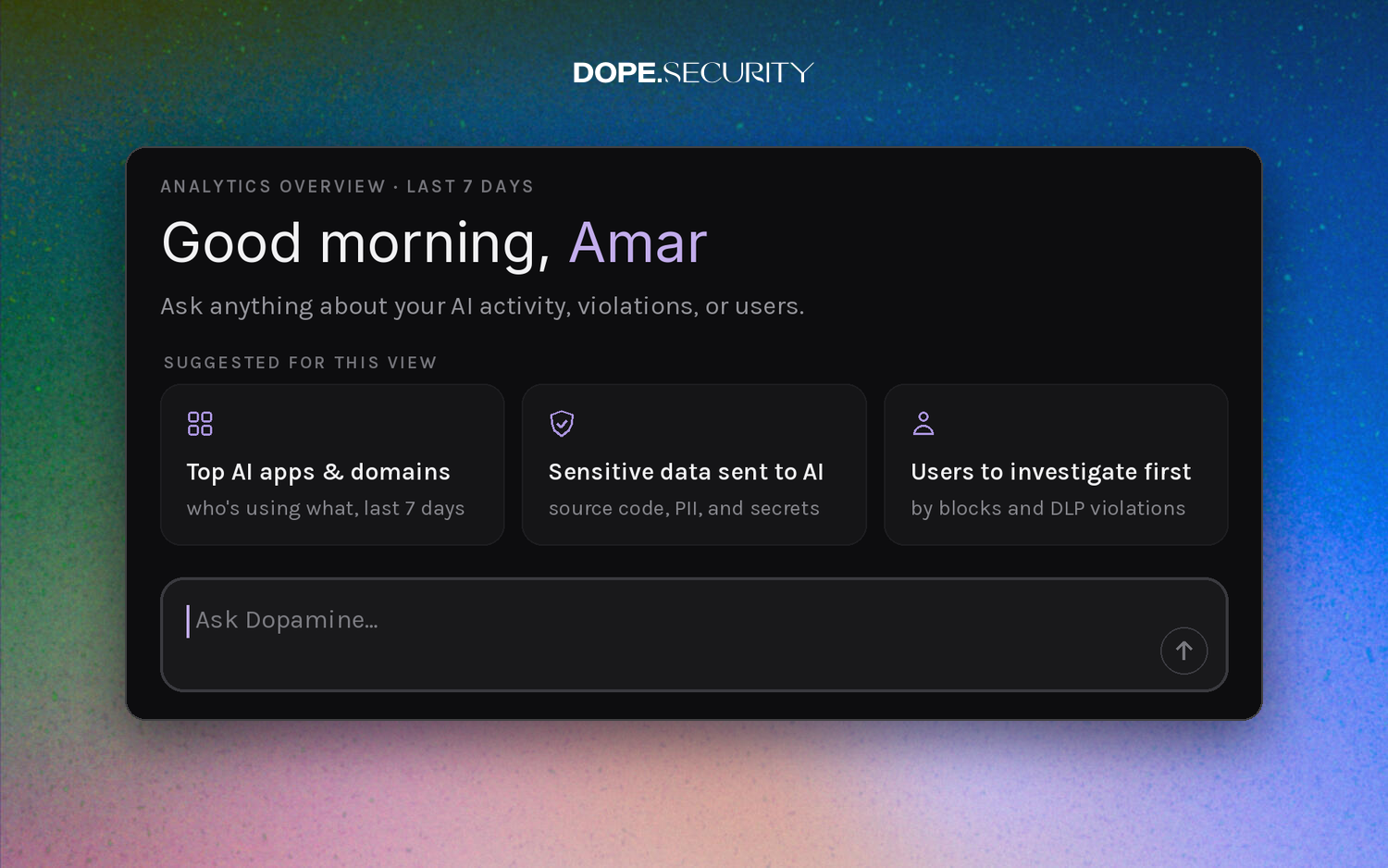
- Ask. Type any question about your analytics, or pick from a pre-populated list.
- Answer. Get a response within seconds, based on live data in your console.
- Triage. See who to investigate first, with the reasoning attached, not just a leaderboard.
- Download. Export any answer table to CSV for decks and reports.
- Repeat. Keep digging with follow-up questions.
Suggested questions cover the ones that come up most:
- Top AI apps and domains: who's using what over the last seven days.
- Sensitive data sent to AI: source code, PII, and secrets.
- Users to investigate first: ranked by blocks and DLP violations.
One example from the product: "Is anyone in the company using DeepSeek?" Answered in 7 seconds, with the user and the count.
From answer to action
The answer isn't the end. AI Usage lists the exact apps Dopamine surfaced, with every user, transaction, and megabyte, plus whether each account is personal or enterprise-licensed. Block the app right there and the policy is live on every endpoint in seconds.
That's the full path: discover, attribute, inspect with Dopamine DLP, enforce. No queries. No exports to another tool.
Netskope Advanced Analytics vs Dopamine Agentic Search
Netskope Advanced AnalyticsDopamine Agentic SearchHow you get answersBuild or open a dashboardAsk in plain languageTime to a new answerDepends on the dashboardUnder 10 secondsTriage guidanceRankings and filtersWho to look at first, with reasoningExportReportsOne click to CSVEnforce from the resultSwitch to policyBlock from the same screenLicensingCheck your tierBuilt into dope.consoleCustom dashboard designExtensiveNot the focus
For the people who don't log in
CISOs, IT managers, and compliance leads don't work in the console every day. AI Analytics includes a branded PDF export for them, with total AI requests, active AI users, distinct AI apps detected, top applications, and top users.
For audit, web, AI, and data-movement evidence lives in one console and streams to your SIEM.
When Netskope is the better choice
If your team wants to design detailed custom dashboards across many dimensions, Netskope's module gives you more to build with. Dopamine can make mistakes, as any AI agent can, so check important answers before you act on them. dope.security also has no built-in ZTNA today and runs on managed Mac and Windows devices.
What is agentic search in security analytics?
Agentic search is a way of querying security data where an AI agent takes a plain-language question, decides which data to pull, runs the steps, and returns an answer with its work shown. You don't pick a dashboard, set filters, or write a query. You ask.
In dope.security, the agent is called Dopamine. It works over the analytics already in dope.console: web activity, AI usage, policy blocks, and DLP violations.
Questions teams ask Dopamine
A few examples of the kind of question that would otherwise mean building a report:
- Which AI apps were used most in the last seven days, and by whom?
- Is anyone in the company using DeepSeek?
- What sensitive data was sent to AI tools: source code, PII, or secrets?
- Which users should I investigate first, based on blocks and DLP violations?
- Who has the highest DLP activity this week?
Each answer comes back as a short summary with a table, and the agent shows the steps it ran to get there.
Who uses it?
- The CISO. Gets a straight answer before a board or leadership meeting, with a CSV to drop into a deck.
- The security analyst. Starts the day with "users to investigate first" instead of scrolling a log.
- The IT admin. Checks whether a new AI tool has shown up, then blocks it from AI Usage.
- Compliance. Pulls evidence of AI and data-movement activity for an audit request.
A 15-minute weekly review
- Ask for the top AI apps and domains over the last seven days. Note anything new.
- Ask for sensitive data sent to AI. Open the users behind the largest volumes.
- Ask for users to investigate first. Read the assessment for the top three.
- Block or restrict anything that shouldn't be there, from AI Usage.
- Export the tables to CSV and file them with your weekly notes.
That's the whole routine. No dashboard maintenance.
How does triage differ from a leaderboard?
A leaderboard ranks users by a single number. Triage weighs more than one signal and explains the result. In the Dopamine example, one user ranks first for having the highest DLP activity and substantial blocking. Another has few DLP violations but extremely high blocking volume, and the agent suggests investigating that separately as possible repeated or automated activity. Those are two different problems, and a single ranked column would hide the difference.
Frequently asked questions
What is agentic search?
It's a query method where an AI agent answers plain-language questions by choosing and running the data steps itself, then showing its work.
What data does Dopamine Agentic Search use?
The live analytics in your dope.console: web activity, AI usage, blocks, and DLP violations.
Does Dopamine show how it got an answer?
Yes. Each answer includes the steps the agent ran and how long they took.
Can I use the answers in a report?
Yes. Any answer table downloads as a CSV in one click.
What is Netskope Advanced Analytics?
It's Netskope's reporting and dashboard module for analyzing web, cloud, and data protection activity.
What is the best alternative to Netskope Advanced Analytics?
Dopamine Agentic Search in dope.security, which answers plain-language questions over live console data instead of asking you to build dashboards.
Can I export answers from Dopamine?
Yes. Any answer table exports to CSV in one click.
How do I find out which employees are using unsanctioned AI tools?
Ask Dopamine for top AI apps by user, or open AI Usage. Both show the app, the users, the volume, and the account type.
Ask it something hard
Start a free trial or book a 20-minute demo. For the wider comparison, see the best Netskope alternative for shadow AI.


